
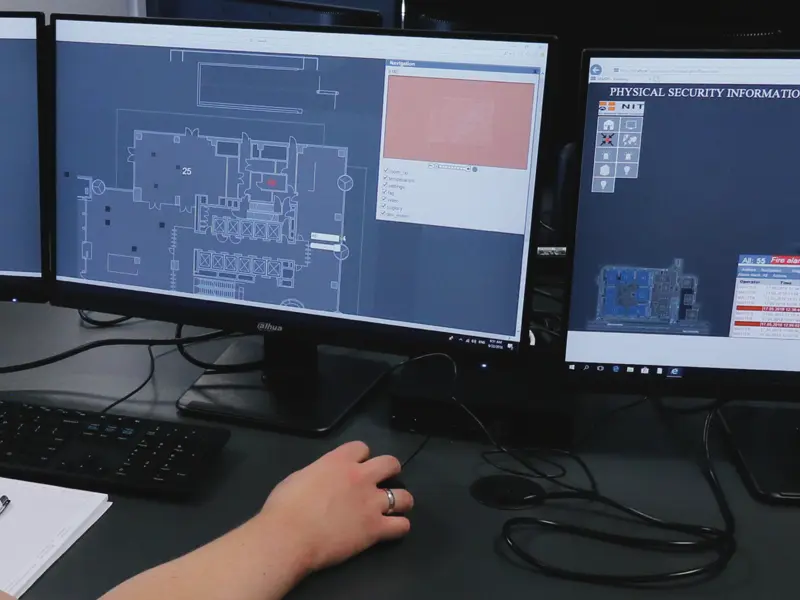

Organizations that have already concluded they need a single platform to manage multiple security systems typically ask themselves a follow-up question: should PSIM run through a browser or through a client application?
At first glance, this may seem like a simple matter of how you access the system. In practice, it is a decision that affects the daily work of operators, the way the environment is maintained, how easily new workstations can be set up, and the overall flexibility of the organization.
What Is PSIM and Why Does Access Method Matter?
PSIM — Physical Security Information Management — is a platform that unifies distributed security systems and technical data sources into a single management environment. It does not replace cameras, alarm systems, fire detection, or BMS. Instead, it organizes information, correlates events, and helps operators make the right decisions faster. We explain this in more detail in the article What Is PSIM?.
This is precisely why the access method is not a minor technical detail. If the system is to genuinely support a facility’s security, it must be comfortable to use, straightforward to maintain, and ready to adapt to organizational change. Otherwise, even a good platform can become another source of constraints.
The Most Important Question Is Not: Which Is More Modern?
Many organizations start with the wrong question: is a browser better, or an installed client?
That framing is too broad.
The better question is: what will choosing one option or the other actually mean for our facility, our team, and our way of working?
A client does not buy just an interface. They buy how the system will operate for years to come.
How Does Browser-Based PSIM Differ from a Client Application?
A browser-based PSIM runs directly in a web browser. The user is not tied to a single, pre-configured computer.
A client application, by contrast, means working with dedicated software installed locally on a workstation.
This may seem like a minor technical difference, but in practice it represents two distinct operating models. One prioritizes greater accessibility, simpler deployment, and easier maintenance. The other relies on the traditional model of working from a locally prepared workstation.
That is exactly why this decision should not be made automatically.
Why Browser-Based PSIM Is Increasingly the More Attractive Option
This is not a matter of trend. It is a matter of practicality.
Easier System Access
The greatest advantage of a browser-based solution is the simplicity of access. Users are not as tightly bound to one pre-configured computer. System functionality can be made available far more easily wherever the organization actually needs it.
For users, this means fewer constraints and greater convenience.
Less Work for IT
This topic is frequently underestimated before purchase and becomes one of the most significant concerns after deployment.
A client application means installation, updates, version compatibility management, and greater dependency on specific workstations. A browser-based solution typically simplifies much of this work, resulting in easier environment management and fewer day-to-day administrative headaches.
Greater Organizational Flexibility
A security system does not operate in isolation from organizational change. User roles, responsibilities, locations, and needs all evolve over time.
A browser-accessible solution tends to adapt to those changes more readily. It does not constrain the organization as rigidly as a model based on locally installed clients.
Better Development Prospects
If the system operates in a single facility today but needs to expand to more locations or users tomorrow, the simplicity of scaling the environment becomes critically important.
This is where browser-based PSIM most clearly demonstrates its advantage. It offers greater freedom to expand and a lower organizational cost for making changes.
What to Honestly Check Before Choosing a Browser-Based Solution
The appeal of a browser-based solution does not mean that every browser-accessible platform will be equally good.
You need to verify very specifically:
- how alarm handling works,
- whether the interface is clear and readable,
- how graphics and visualization perform,
- whether the operating logic matches real-world usage scenarios,
- and whether the system was genuinely designed for daily browser-based use.
This matters most in environments where operators must act quickly and without unnecessary information overload. For a broader look at this challenge, see Why Security Quietly Grows More Complex in Many Facilities — it illustrates clearly that the problem today is rarely a lack of systems, but rather the absence of a coherent working environment.
It is also worth paying close attention to how alarms and priorities are presented. This determines whether an operator sees what truly matters or drowns in a flood of notifications. We explore this in The Event Stack in PSIM — How It Helps Security Teams Manage Crisis Situations.
What Does a Client Application Offer and When Is It Chosen?
A client application still has its place in organizations that operate in a very stable, predictable model, where system access is limited to a small number of pre-defined workstations.
For some users, this model may feel natural — it is familiar and associated with working on a locally installed, dedicated tool.
It can be a sufficient solution where flexibility is not a priority.
What Choosing a Client Application Actually Means
Greater Dependency on a Specific Workstation
An installed client typically binds the user more tightly to a particular computer and configuration. This means less freedom when making organizational changes and greater dependence on a pre-prepared environment.
More Administrative Responsibilities
Every locally installed piece of software means additional work: installation, updates, ongoing maintenance, and troubleshooting at the workstation level.
With a small number of users, this may not be strongly felt. At greater scale, it becomes a real cost.
Less Development Flexibility
The more an organization grows, the more apparent the limitations of a locally installed client model become. Every change requires more technical actions and typically introduces more dependencies.
This is why many organizations are beginning to recognize that a traditional installed client is not always the most convenient solution for the future.
What to Choose: Browser-Based PSIM or a Client Application?
If an organization is looking for a solution that is easier to deploy, simpler to maintain, more flexible, less burdensome for IT, and better prepared for growth, browser-based PSIM will very often be the more attractive choice.
If, however, the facility operates in a very stable model, works from a small number of strictly defined workstations, and does not require greater flexibility, a client application may still prove sufficient.
But from the perspective of contemporary organizational requirements, the browser-based option increasingly answers real client needs more effectively — not because it sounds better, but because it simplifies access, eases maintenance, and provides greater freedom to grow.
How to Approach This Decision Sensibly
Before making a choice, it is worth asking yourself a few practical questions:
- How many operator workstations need to be active today, and how many may be needed in two or three years?
- Does the organization work from a single, fixed control center, or does it need greater access flexibility?
- How much of a burden will maintaining local installations be for IT?
- Does the web interface genuinely offer the full functionality needed for daily operations?
- Will system development include additional facilities, users, or integrations?
If budget is also being analyzed in parallel, it is worth reading alongside How Much Does a PSIM Implementation Cost? — because the cost of the platform and the cost of its ongoing maintenance are not always the same thing.
If the facility has been operating for years and there is concern that it may be too late for integration, a good complement is Is It Too Late to Integrate Security Systems?.
Conclusion: The Client Is Not Just Choosing an Interface
The choice between browser-based PSIM and a client application is not a cosmetic decision. It is a choice that affects daily operations, environment organization, maintenance costs, and the system’s capacity for growth.
A client application can make sense where everything runs in a very stable, fixed model.
But where accessibility, flexibility, ease of administration, and development convenience matter, the browser-based solution increasingly proves to be the more practical choice.
Because today, the client is not simply buying a program. They are buying a way of operating a system that should support the organization — not limit it.
FAQ
- Is browser-based PSIM always better than a client application?Not always. It depends on the organization's operating model, the number of workstations, the expected level of flexibility, and how the environment will be maintained.
- Does a client application mean higher maintenance costs?Very often, yes — because it requires local installations, updates, and greater dependency on specific workstations.
- What should you watch out for most when choosing a browser-based PSIM?Focus on the ergonomics of daily work: alarm handling, interface clarity, visualization logic, and the system's real-world usability in operator scenarios.