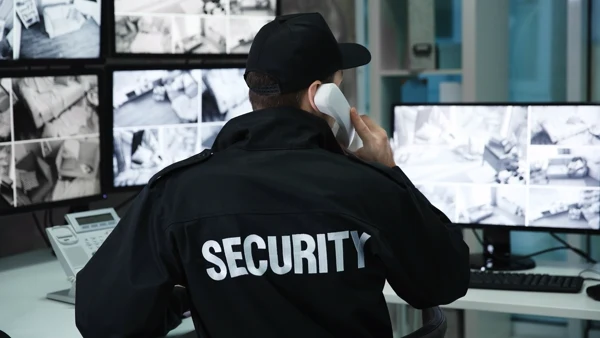

There are moments in a security officer’s day when a quick, accurate response is what counts.
A lift breakdown, a technical alarm, a report from a tenant, an intercom signal, or the need to call out a service team — none of these end with simply noticing the event. The operator still has to know who to contact and which channel will get them there fastest.
In many facilities this still means flipping through a notebook, a binder, a printed contact list, or a file saved somewhere on a computer. Under calm conditions, that model can work. The problem appears the moment the operator has to act fast.
Is the number still current? Should they call the building administrator, a technician, a service company, a tenant, or the after-hours duty officer? Or does the situation call for an immediate radio link to a patrol on the ground?
Every one of those decisions takes time and increases the risk of a mistake.
GEMOS shortens the path from event to contact
GEMOS can simplify that process.
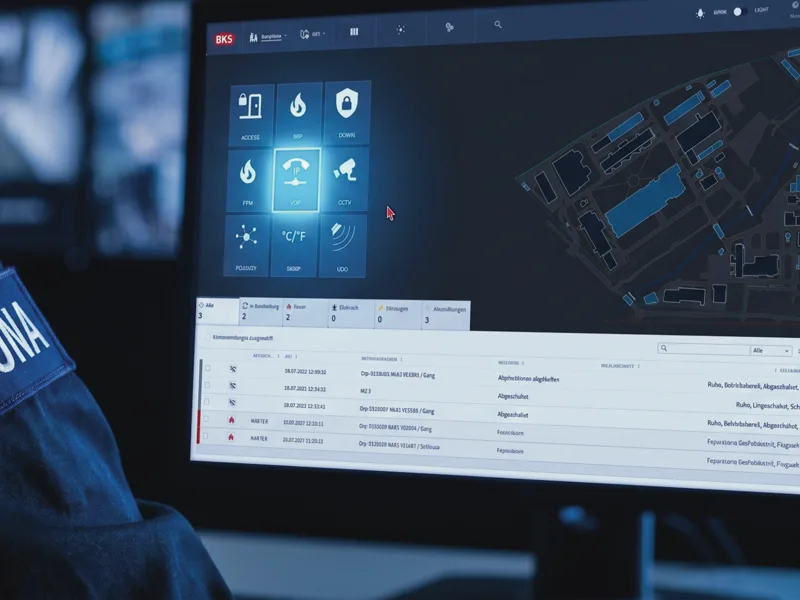
Instead of hunting for a number in several places, the operator sees the right contact directly on the system screen. If the situation calls for a call, all it takes is clicking the phone icon assigned to a specific person, department, service, intercom device, or radio group.
The system sets up the call or activates the right communication channel.
For security staff, that means fewer side tasks. The operator does not retype numbers, compare multiple lists, wonder whether they are working from the latest data, or waste time switching between different devices.
Most importantly — they do not lose valuable time. In a breakdown, an alarm, or an incident, every minute can matter. GEMOS shortens the path from recognising an event to contacting the right person, patrol, or service, so the response can start faster and with a lower risk of error.
For the building manager, that translates into more repeatable operations and a smaller risk that incident handling will depend on one person’s memory, the freshness of a paper list, or the smooth manual operation of several independent communication tools.
Why one click is enough
The ability to place a call straight from GEMOS comes from integrating the PSIM platform with the facility’s communication infrastructure.
In modern buildings, voice communication often runs on IP telephony, IP PBX exchanges, VoIP systems, and the SIP protocol. With that kind of integration in place, GEMOS can do more than just display alarms, camera views, or intercom signals — it can also initiate phone calls from the operator’s workstation.
In practice, the operator’s computer becomes part of the communication environment. Clicking the phone icon in GEMOS starts a call through the integrated phone exchange.
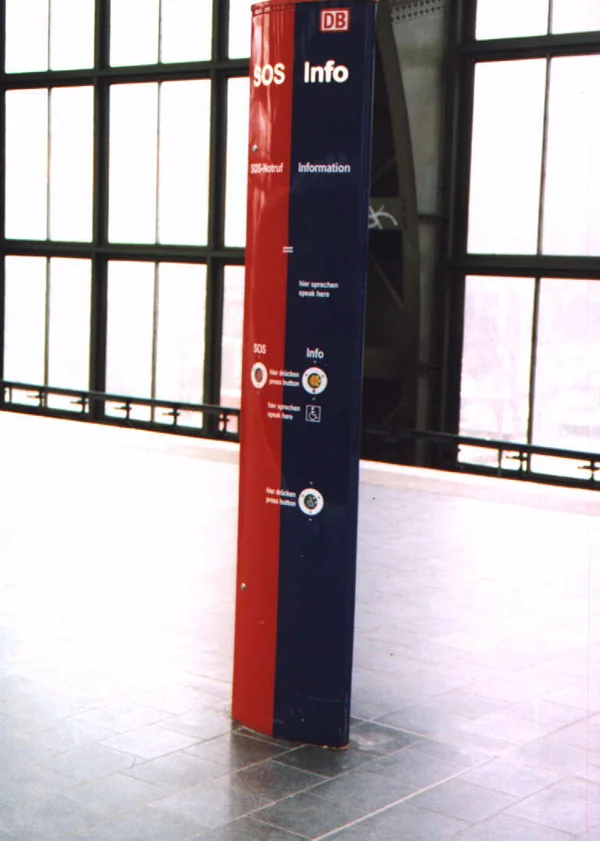
An intercom as a SIP device — a physical SOS/Info point connected to the facility’s phone infrastructure and operated through GEMOS.
Intercoms running as SIP devices can work the same way. They can be wired into the facility’s telephony infrastructure and operated from a single system.
The operator does not need to know the technical details of that integration. What matters is the outcome: the right call can be placed quickly, with no manual dialling and no switching between tools.
The phone book as a shared communication interface
In the traditional sense, a phone book brings to mind a list of numbers. In GEMOS, its role can be much broader.
It does not have to be just a directory of people and departments. The phone book can become a unified place for handling different communication channels: traditional telephony, digital telephony, VoIP, intercoms, and radio.
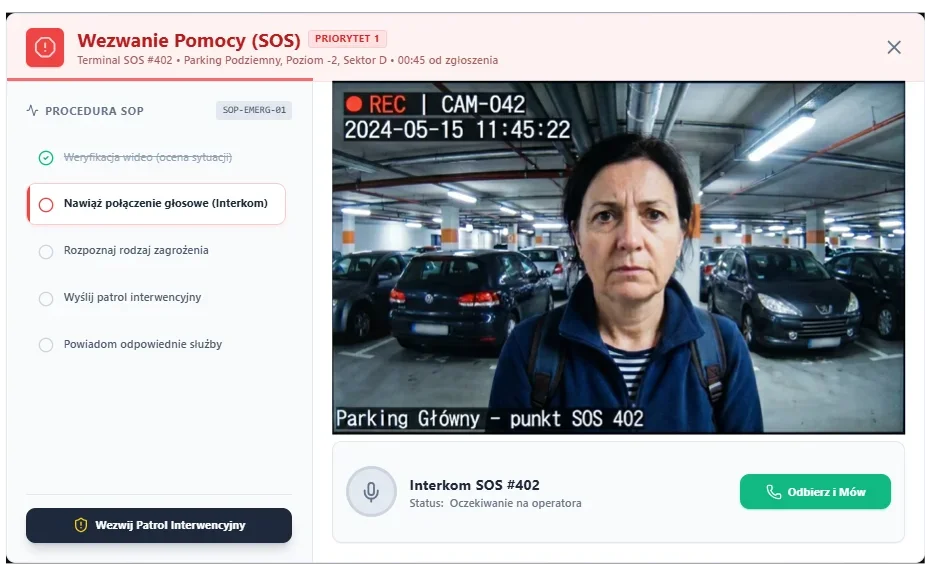
Handling an SOS call in GEMOS — the operator sees the camera view, the location of the incident, and can place an intercom call with a single click.
For the operator, the technology running in the background is not the main concern. What matters is being able to pick the right contact, device, patrol, or communication group from a single interface.
That brings order to the security desk.
Instead of a separate phone list, a separate intercom panel, a separate radio, and several independent procedures, the operator can work from one environment. GEMOS becomes a shared access point for communication that, in practice, can run over many different channels.
As a result, security staff do not have to spend time wondering where the right device is, which channel the patrol is on, or which contact list they should be using. The information and the way to act on it sit in the same system.
Instant response in the field: TETRA radio integration
There are, however, situations in which IP telephony, an intercom, or an ordinary phone call may not be enough.
An intruder, a physical threat, a sudden evacuation, a public-order incident, or an urgent need to support a mobile patrol all call for fast contact with staff on the ground.
In those moments, every extra action by the operator delays the response.
That is why GEMOS does not have to be limited to standard on-site communication. The system can also integrate with professional radio networks, including the TETRA standard.
In a critical situation, the operator does not have to look away from the screens, reach for a separate radio on the desk, or manually switch channels. From the same dispatcher’s workstation they can send a message to a specific patrol, a chosen response group, or initiate a high-priority emergency call.
By integrating the PSIM platform with TETRA infrastructure, security staff gain a coherent communication channel with field personnel. That matters especially in large, multi-zone facilities — or in sites where mobile patrols are a core part of the security setup.
For the building manager, that means tighter control over coordinating actions. Instructions can reach the right people faster, without juggling several independent devices and without the risk that an operator under stress picks the wrong channel.
Fewer mistakes, current contacts, smoother security
In commercial, office, industrial, and public-use buildings, contact details change all the time. Building administrators, duty technicians, service companies, tenant-side contacts, after-hours numbers, radio groups, and escalation rules all shift.
If that information is scattered, mistakes come easily. One list gets updated, another keeps running in its old version. The result: security staff may be following procedure, but they are working from outdated data.
When the contacts live in GEMOS, they are easier to keep under control. The operator works from the information visible in the system, in the context of a specific event, a place in the facility, or a chosen communication channel.
That takes pressure off both new security staff and seasoned operators. A new hire finds their feet at the desk faster, and an experienced operator does not have to rely solely on memory — especially during a night shift, a hand-over, or a wave of incoming reports.
A simple feature with a real organisational impact
One-click calling may look like a minor convenience. In practice, it brings order to one of the most important elements of security work: communication.
Security staff move from recognising an event to acting on it more quickly. The building manager gains greater confidence that the right person, patrol, response group, or service will be notified without unnecessary delay.
GEMOS shows that a PSIM platform does not have to be only a tool for presenting information from security systems. It can also genuinely take pressure off people in their daily work — wherever speed, order, and dependable action matter.
Want to see how it works in practice?
If you would like to find out how GEMOS can streamline communication for the security staff in your facility, fill in the contact form and arrange a system demo.
We will show you what handling an event looks like from the operator’s workstation — from identifying the situation, through choosing the right contact, all the way to clicking the phone, intercom, or radio icon and quickly setting up communication with the right person.